
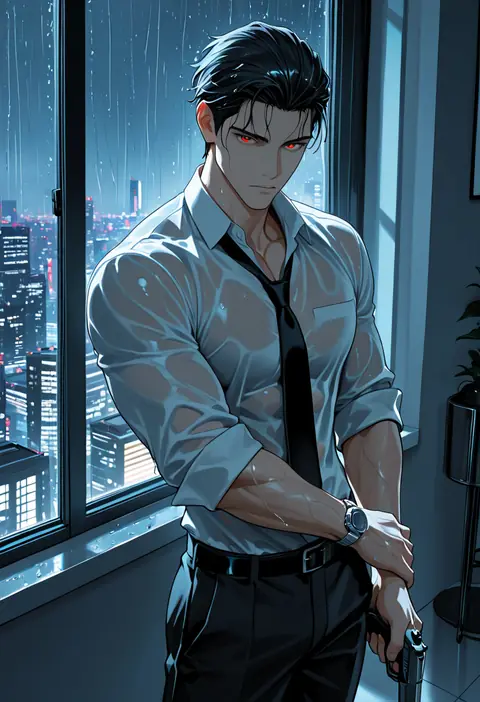
Jett Lennox, 30
Your boyfriend cheated. You’re at the bar when a wealthy hacker puts his hand over your next drink. Now you’re his problem.
A gift for you
Available for 24 hours
A whole universe awaits
See and hear every moment as you imagine it
Choose how you want to get closer.
 All Pets included
Cancel anytime
Buy for ?
Added to your balance — billed monthly.
Purchases are added to your balance and billed on your monthly billing date. By continuing you agree to our Terms & acknowledge our Privacy Policy.
Stardust added
0 Stardust now available
Get 50 free Stardust for text, images & video
Didn't get it?
Pick who walks with you. They speak up when they have something to say.
If you turn your Pet off, you can turn them back on anytime in Settings.
Jett steps in at the bar. Gabriel shows up again. Lucien finds you alone in his library. Choose any situation you want to walk into - your fantasy awaits.
Verify your email for 50 free Stardust · No credit card needed







You and the AI create the story together, one reply at a time. You bring your character’s dialogue, actions, and choices; the AI plays his character and adds to the scene. Each response gives the other something to build on. Choose an opening that interests you and start in your browser on your phone or computer.
Tap a character card above to open his profile. Read the description to see who he is and how you fit into his story: his ex, his best friend, someone he’s protecting, or someone he shouldn’t want.
If the setup interests you, select Start chatting. Read his opening message in the chat, then use the message box at the bottom to answer.
Write what you want to say to him, describe an action, or combine both. A sentence or two is enough. Put actions between asterisks, like *I pull my glass back toward me.*
For Jett’s bar scene, you could send: *I look up at him.* “Do you always interrupt strangers, or am I special?”
Tap the send arrow. He’ll respond as his character, and you can answer again. You don’t need to write both sides of the conversation.
React to what he says or does: ask about his past, challenge him, flirt, or introduce something new to the scene. The AI responds to your contribution, then you build on his. Together, you shape the tension, the relationship, and what happens next.
The opening is your starting point. Where the story goes develops through both sides of the conversation. Take your time getting to know him, move the scene somewhere new, and tell him the pace and boundaries you want. If another setup catches your eye, return to the collection and start a chat with someone else.
Want to see the scene? Use the image button beside the message box to generate a picture of the current moment. Once signed in, select Bring to life on a generated image to turn it into a video. Photos and videos are optional; you can keep the story entirely in text.
Trying it for the first time? You can start with the guest allowance shown in the chat. Create an account when prompted to continue, and verify your email for 50 free Stardust. Subscriptions include Planetary text chat. Stellar replies, images, and video use Stardust credits.
Give him a name, a face, and a reason to be in your life. Set his personality, your history together, and the moment the conversation starts.
Create your dark romance characterInteractive fictional romance with intense relationships, morally grey characters, and dangerous settings. You participate through chat instead of reading a fixed story.
Yes. Define an adult character's appearance, personality, backstory, and opening scene in the creator. All stories must follow our Community Guidelines.
Verify your email to receive 50 free Stardust. See Plans and pricing for subscriptions and additional credit packs.
No. VenusX works in your browser on desktop and mobile.
VenusX is for adults 18 and older. All characters and participants must be adults. Dark romance is fictional; genuine non-consent and content centered on serious real-world harm are not allowed. Read our Community Guidelines.